
Crevano · Templates · Social Media · LinkedIn Post Templates
LinkedIn Post Templates
Post images at 1200 × 627 pixels — the size the LinkedIn feed shows and the size link previews use — laid out for the two posts that actually get made: we're hiring, and an announcement.
No templates match that.
A LinkedIn image is read next to text, not instead of it
This is what makes LinkedIn different from Instagram, and designing as though it were Instagram is the usual mistake.
On LinkedIn the post copy is the message and the image is a signal — it stops the scroll and says what kind of post this is. It is competing with the first two lines of your own text, not replacing them.
That argues for restraint: a clear headline, a lot of white space, and type big enough to read at the half size a feed shows. A dense graphic loses to the sentence beside it every time.
Hiring posts have one job
A hiring image that says "We're hiring" and nothing else is doing nothing the post copy is not already doing better.
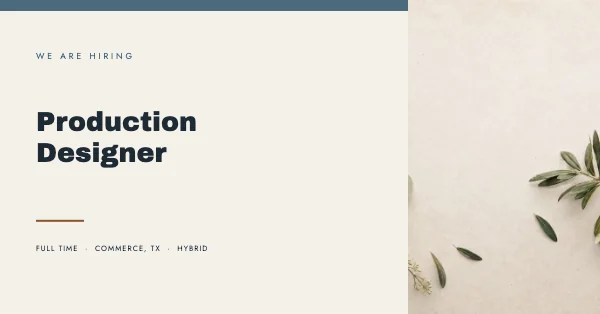
Put the role on it. "Senior Backend Engineer — Remote" is scannable by somebody who is not reading carefully, and it is what makes the post forwardable — a person shares a job with a friend based on the role, not on the word hiring.
1200 × 627 travels
The same ratio is the standard link-preview size across most platforms and messaging apps, so an image built here is what appears when your link is pasted almost anywhere. It is the most reused shape in this whole set.
Questions
What size is a LinkedIn post image?
1200 × 627 pixels, roughly 1.91:1. It is also the standard link-preview size across most platforms.
Is this the same as a LinkedIn banner?
No. A profile banner is 1584 × 396 and has its own page — LinkedIn banner templates.
What should a hiring post image say?
The role, not the word "hiring". The role is what makes somebody forward it to a friend.
How much text is too much?
If it is not comfortably readable at half size, it is too much. The image is competing with your own post copy, not replacing it.
Does the image need to match the article thumbnail?
If you are sharing a link, LinkedIn pulls the page's own preview image. Upload a separate image only when you are posting directly rather than sharing a link.
Can I use these commercially?
Yes, including for recruiting and client work. No royalty, no credit, and the permission does not expire. That is true on the free plan as well as the paid one.
Where to go next
Other sizes
Put together an occasion
Every category
How printing works
Open any of these and it is already the right size. Bleed, margins and trim are set, and there is no watermark on anything you export — on any plan, ever.