
Crevano · Templates · Social Media · LinkedIn Banner Templates
LinkedIn Banner Templates
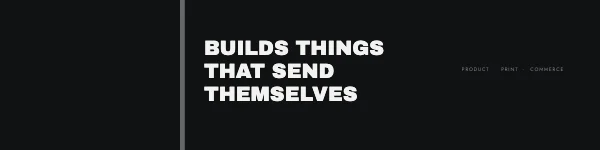
LinkedIn banners at 1584 × 396 pixels — the size LinkedIn itself publishes — with the two things that actually ruin a banner already drawn on the page: the circle your profile photo punches out of the bottom left, and the amount the right-hand side loses on a phone.
No templates match that.
The size is not the hard part
Almost every LinkedIn banner that looks wrong is the right size. It goes wrong in two places, and both are predictable.
Your profile photo sits on top of it. On a personal profile the avatar overlaps the lower-left corner of the banner. Anything you put there — a logo, the start of a line of text, a face — is covered on every desktop view. The template has that circle drawn as an element so you can see what it eats before you publish rather than after.
The sides are cropped on mobile. A phone shows a narrower slice of the same image, and it takes it from the middle. A tagline that fits edge to edge on a laptop loses its first and last words in the app, which is where most of your profile views come from.
The working rule that follows: keep everything that matters in the middle, and out of the bottom left. It is the same discipline as a print safe area, and it fails the same way when ignored.
Company pages are a different shape
This is worth knowing before you make one banner and use it in both places: a LinkedIn company page cover is not 1584 × 396, and the logo overlaps it differently from a personal avatar. One image cannot serve both without something important being covered in one of them. Make two, from the same elements — that part takes a minute.
Why this is a picture, not a document
A banner is a screen image, so there is no trim, no bleed and no DPI target here — the pixel size is the whole specification. Export PNG for flat color and type, JPG if the banner is mostly a photograph. Both come out at exactly 1584 × 396 with no resampling.
Questions
What size is a LinkedIn banner?
1584 × 396 pixels, a 4:1 ratio, for a personal profile. That is the size LinkedIn publishes and the size these templates are built at.
Why does my LinkedIn banner look blurry?
Almost always because it was made smaller than 1584 × 396 and stretched, or exported as a heavily-compressed JPG. Build at the full pixel size and export PNG if there is type on it — type is what compression damages first and what a reader notices first.
What part of the banner does my profile photo cover?
The lower-left corner on a personal profile. Keep logos, taglines and faces out of it. The template draws the circle so you can see the overlap while you work.
Will the whole banner show on a phone?
No. Mobile shows a narrower center slice, so both ends are cropped. Anything you need read has to sit in the middle.
Can I use the same image for my company page?
Not safely — a company page cover is a different shape and the logo overlaps differently. Build a second one from the same pieces.
Can I use these commercially?
Yes, including for clients and for your own business. No royalty, no credit, and the permission does not expire. That is true on the free plan as well as the paid one.
Where to go next
Other sizes
Put together an occasion
Every category
How printing works
Open any of these and it is already the right size. Bleed, margins and trim are set, and there is no watermark on anything you export — on any plan, ever.