
Crevano · Templates · Social Media · Instagram Story Templates
Instagram Story Templates
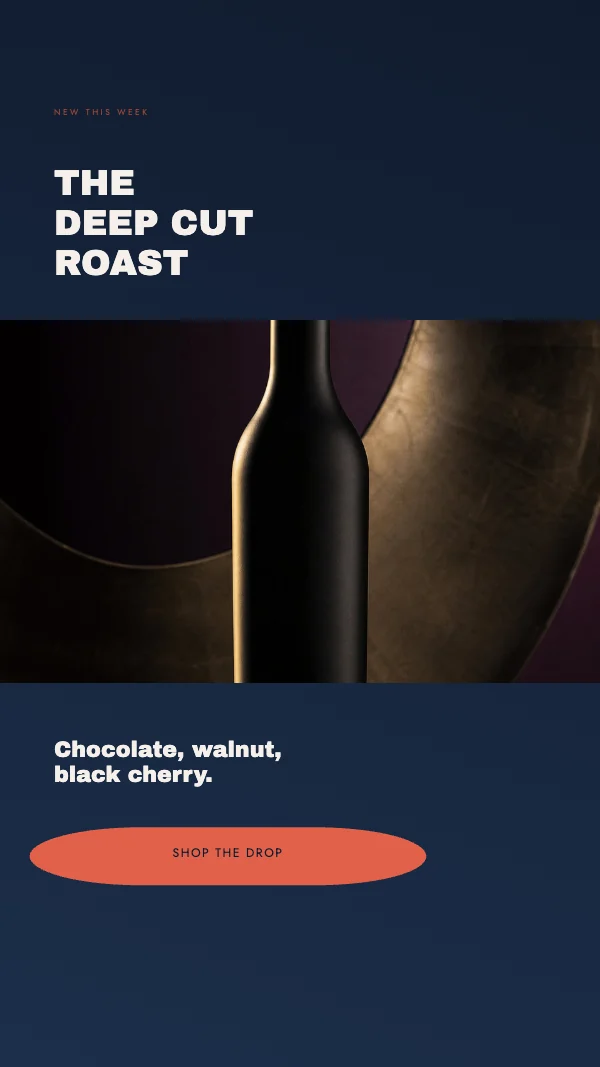
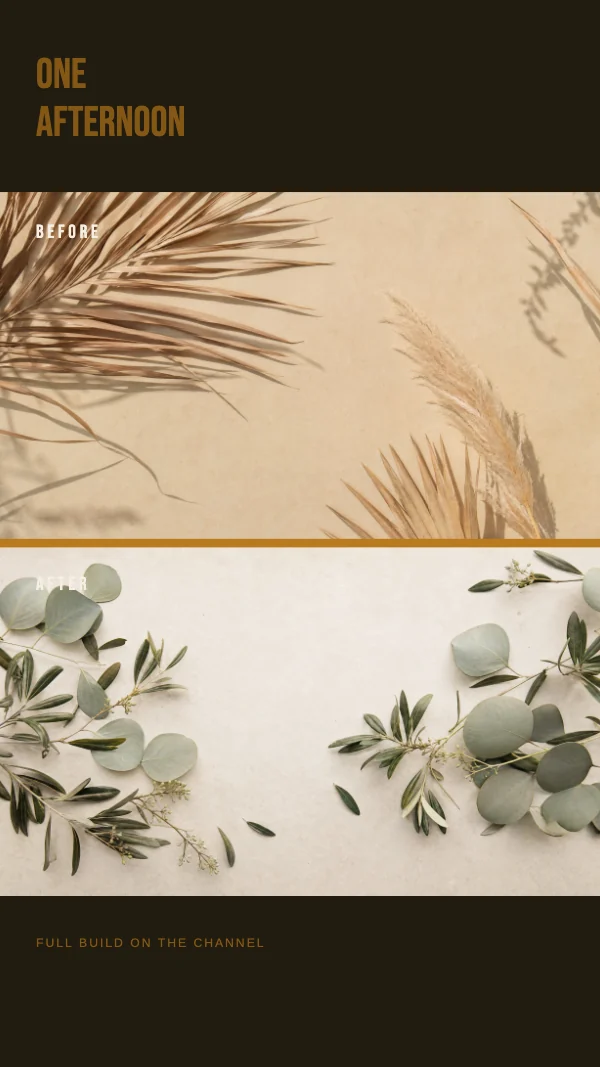
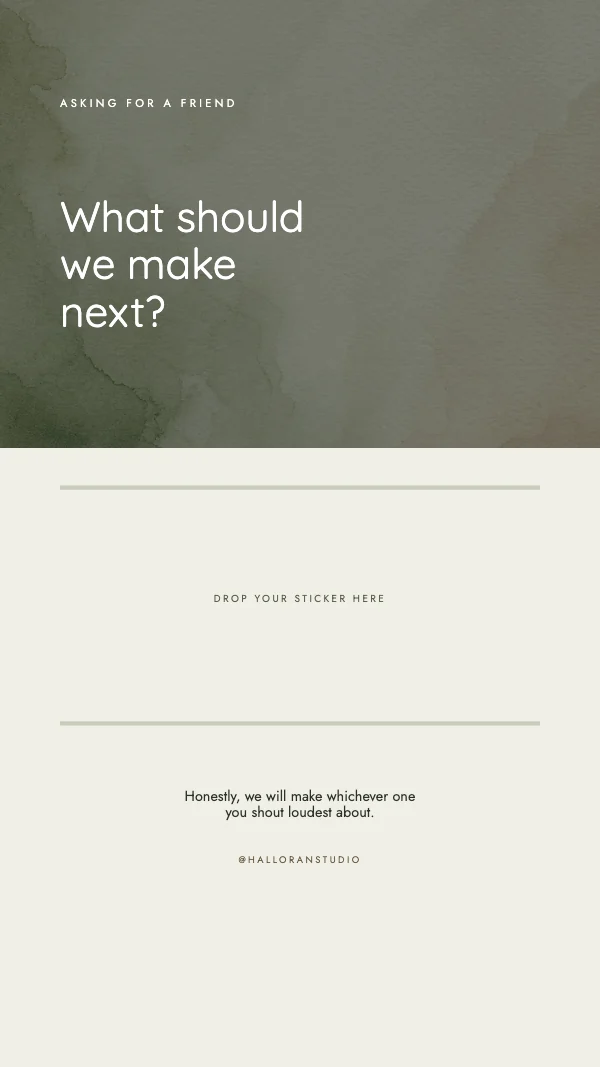
Vertical templates at 1080 × 1920 pixels with the two safe zones drawn on the page — the strip at the top where the profile row and progress bars sit, and the strip at the bottom where the reply bar and the swipe-up live.
This is one shape doing three jobs: it is the Instagram Story frame, the TikTok cover, and the YouTube Shorts cover. Same pixels, same safe areas, same file.

No templates match that.
The safe zones are the whole design problem
A Story is 1920 pixels tall and you do not get to use all of it. Roughly the top 250 pixels are covered by the profile picture, the username and the segment bars; roughly the bottom 250 by the reply field and any sticker or link the platform adds.
Text placed in either strip is not slightly obscured — it is unreadable, and you find out after posting. The templates draw both strips as real elements so you can see the usable middle while you work and delete the guides before exporting.
Everything that has to be read goes in the middle 1400 pixels. That is still a tall, generous frame; it is just not the one the canvas suggests.
A cover is judged as a still, then never seen again
TikTok and Shorts covers have a second constraint worth knowing: the cover is what somebody sees in a grid on your profile, at a fraction of full size, but it is not what they see while the video plays.
So the cover is doing the same job as a book spine on a shelf — it has to say what this one is, among the others, at thumbnail size. Short text, high contrast, and one subject. Anything subtle is wasted here, because it will never be looked at closely.
Export flat, not compressed
Stories are re-encoded by the platform, and re-encoding damages type before it damages photographs. Export PNG when the frame is mostly type or flat color, JPG at high quality when it is mostly a photograph. A soft, fringed edge on your headline is almost always compression, not the design.
Questions
What size is an Instagram Story?
1080 × 1920 pixels, a 9:16 ratio. The same size is used for TikTok covers and YouTube Shorts covers, so one file serves all three.
Where do I put text on a Story?
In the middle. Keep roughly the top 250 and bottom 250 pixels clear — the profile row and progress bars sit in one, the reply bar in the other.
Why does my Story text get cut off?
It is inside a safe zone rather than cut off. The platform draws its own interface over the top and bottom of your image, and nothing you can do in the design moves it.
Can I use the same file for TikTok?
Yes. The vertical video frame is 1080 × 1920 on Instagram, TikTok and YouTube Shorts, and the safe areas are close enough that one layout works for all three.
Should the cover match the first frame of the video?
No. The cover is chosen from a grid at thumbnail size; the first frame is whatever the camera saw. Design the cover for the grid.
Can I use these commercially?
Yes, including for clients and for a business account. No royalty, no credit, and the permission does not expire. That is true on the free plan as well as the paid one.
Where to go next
Other sizes
Put together an occasion
Every category
How printing works
Open any of these and it is already the right size. Bleed, margins and trim are set, and there is no watermark on anything you export — on any plan, ever.